Is your website running on Drupal 7? If so, you may be aware that Drupal 7 is reaching its end of life on January 5, 2025. With the end of life rapidly approaching, many website owners are considering their options for the future. One popular alternative to Drupal is WordPress, the widely-used content management system. In this article, we will delve into what you need to know about the Drupal 7 end of life and whether you should migrate to WordPress with the help of a WordPress web designer.
Table of Contents
Drupal 7 has been a stalwart CMS for years, but with security updates and official support winding down, it’s important to assess the risks and benefits of staying on Drupal 7 versus migrating to a new platform like WordPress. We will explore the advantages and disadvantages of both options, as well as the steps involved in migrating from Drupal 7 to WordPress. By the end of this article, you will have a clearer picture of what is at stake and how to make an informed decision regarding the future of your website. Whether you choose to stick with Drupal or embark on a WordPress migration, this article will provide insights to guide you along the way.
Understanding the implications of Drupal 7 end of life
The end of life (EOL) for Drupal 7 signifies a crucial turning point, not only for its developers but also for countless organizations relying on this platform. As of January 5, 2025, Drupal 7 no longer receives official support, which includes critical security updates and bug fixes. This lack of support translates to increased vulnerabilities, making websites running on Drupal 7 susceptible to security breaches, data loss, and other operational risks. For businesses that prioritize online security and data integrity, remaining on an unsupported platform is a gamble that could have dire consequences.
Additionally, the EOL of Drupal 7 means that any new features, modules, or improvements will not be developed or made available. This stagnation can hinder the growth and evolution of your website, keeping it from leveraging the latest technological advancements or user experience improvements. As the digital landscape continues to evolve, staying on an outdated platform can compromise your website’s competitiveness in an increasingly crowded market. This lack of updates may also lead to compatibility issues with third-party services and APIs, further complicating your website’s functionality.
For organizations with significant investments in their Drupal 7 sites, the end of life presents a challenging dilemma: to continue using a platform that, while familiar, poses significant risks, or to proactively seek alternatives. This decision-making process should include a thorough assessment of the current website’s performance, security, and future needs, weighing the benefits of migrating to a new system against the risks of remaining on an obsolete one. Understanding these implications is the first step in making an informed decision about your website’s future.

Benefits of migrating to WordPress
Migrating to WordPress offers a plethora of benefits that can enhance your website’s functionality, user experience, and security. WordPress is one of the most widely used content management systems in the world, powering over 40% of all websites. This broad adoption means that it is continuously updated and improved, with a vast community of developers and users contributing to its ecosystem. As a result, website owners can benefit from a wealth of plugins, themes, and resources that can help tailor their sites to meet specific needs.
One of the standout features of WordPress is its user-friendly interface. For many users, the transition from Drupal 7 to WordPress may feel like a breath of fresh air. WordPress is designed with simplicity in mind, allowing even those with minimal technical expertise to create and manage content easily. This ease of use can save time and reduce the learning curve for new team members, ultimately leading to a more efficient content management process. Additionally, a more intuitive design can enhance collaboration among team members, allowing for a smoother workflow.
Security is another compelling reason to consider migrating to WordPress. Unlike Drupal 7, which is no longer actively supported, WordPress receives regular security updates and patches, ensuring that known vulnerabilities are addressed in a timely manner. The extensive community also actively monitors for security threats, providing users with guidance and tools to protect their sites effectively. By migrating to WordPress, website owners can significantly reduce their exposure to security risks, safeguarding their valuable data and user information.
Key differences between Drupal 7 and WordPress
While both Drupal 7 and WordPress are popular content management systems, they cater to different audiences and use cases. One of the most notable differences lies in their complexity and flexibility. Drupal is renowned for its powerful capabilities, offering extensive customization options for developers and organizations with specific needs. However, this complexity can be a double-edged sword; it often requires a steeper learning curve and a more technical background to fully leverage its potential. In contrast, WordPress focuses on simplicity and ease of use, making it accessible to a broader audience, including non-technical users.
Check out this video comparing WordPress and Drupal:
Another key difference is the approach to content management. Drupal employs a more structured content model, allowing for advanced content types, custom fields, and relationships between entities. This makes it an excellent choice for complex websites that require intricate data management. WordPress, on the other hand, provides a more straightforward approach, relying on posts and pages as the primary content types. While WordPress can be extended with custom post types through plugins, it may not match the robustness of Drupal’s built-in capabilities for complex content structures.
When it comes to community and support, both platforms have vibrant ecosystems, but they operate differently. Drupal has a smaller, niche community that focuses on high-end, enterprise-level solutions. In contrast, WordPress boasts a massive global community, with countless resources, tutorials, and forums dedicated to helping users troubleshoot issues and optimize their sites. This extensive network can be invaluable for website owners who may need guidance or support during their website management journey, making WordPress an attractive option for those seeking a more collaborative environment.
Planning your migration from Drupal 7 to WordPress
Embarking on a migration project requires careful planning to ensure a smooth transition from Drupal 7 to WordPress. The first step in the planning process is to conduct a comprehensive audit of your existing Drupal site. Identify the content types, taxonomies, and any custom functionalities that are vital to your website’s operation. This audit will serve as a foundation for mapping out how to recreate these elements within WordPress. Understanding your current site structure will help you maintain content integrity and minimize disruption during the migration.
Next, create a detailed migration strategy that outlines your goals, timelines, and resources. This plan should include a clear list of requirements for your new WordPress site, such as theme selection, essential plugins, and any specific functionalities that need to be replicated. By setting clear objectives, you can streamline the migration process and ensure that everyone involved understands their roles and responsibilities. Additionally, establishing a timeline will help keep the project on track, allowing for adjustments as needed while minimizing downtime.
Lastly, consider your website’s SEO performance during the migration process. Preserving your search engine rankings is crucial, and this often involves implementing proper redirects and maintaining URL structures as much as possible. Before starting the migration, analyze your current site’s SEO performance, noting key metrics and any pages that drive significant traffic. This information will be invaluable for ensuring that your new WordPress site retains its search visibility and that users can easily find the content they are looking for post-migration.
Step-by-step guide to migrating from Drupal 7 to WordPress
Once your migration plan is in place, you can begin the step-by-step process of migrating from Drupal 7 to WordPress. The first step is to set up your new WordPress environment. This includes selecting a hosting provider, installing WordPress, setting up a page builder and configuring basic settings such as permalinks, user roles, and general site settings. Make sure to choose a hosting solution that can handle your site’s expected traffic and performance needs.
Next, you will need to export your content from Drupal. The easiest way to do this is by using a migration tool or plugin specifically designed for this purpose. There are several plugins available that facilitate the migration process, allowing you to export content types, users, and other data from your Drupal site. Ensure that you choose a tool that allows for a smooth transfer of data while preserving the structure and integrity of your content.
After exporting your content, import it into your new WordPress site. Most migration plugins offer an import feature that can handle this step efficiently. During the import process, pay special attention to any custom fields or taxonomies that need to be recreated in WordPress. Once the import is complete, review your new site thoroughly to verify that all content has migrated successfully and that links, images, and other media files are functioning correctly. This is also an excellent time to implement any necessary redirects to maintain SEO performance.
Common challenges and how to overcome them during the migration process
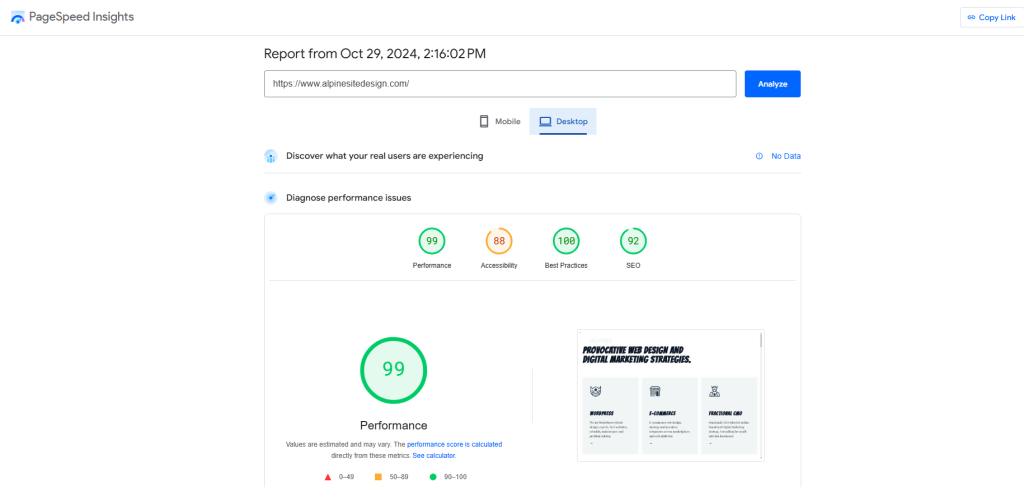
After successfully migrating to WordPress, the next step is to optimize your site for performance, security, and user experience. One of the first actions to take is to review your site’s speed and performance metrics. Use tools like Google PageSpeed Insights or GTmetrix to analyze your site’s loading times and identify areas for improvement. Implementing caching solutions, optimizing images, and minimizing the use of heavy plugins can significantly enhance site speed and overall performance.
Security is another crucial aspect to focus on post-migration. WordPress sites can be vulnerable to various cyber threats, so it’s essential to implement robust security measures. This includes using security plugins, enabling two-factor authentication, and regularly updating your themes and plugins to protect against vulnerabilities. Additionally, consider setting up regular backups to ensure that you can restore your site quickly in the event of a security breach or data loss.
Finally, enhancing user experience should be a top priority after migration. Evaluate the site’s design, navigation, and content structure to ensure it meets user needs and expectations. Implementing responsive design is vital, as mobile usability continues to be a significant factor for SEO and user engagement. Engage with your audience through feedback and analytics to identify areas for improvement, continually iterating on your site to create a seamless and enjoyable user experience.

Resources for learning WordPress and getting support
Transitioning to WordPress opens up access to a wealth of resources that can help you maximize your website’s potential. The official WordPress.org website is an excellent starting point, offering comprehensive documentation and tutorials suitable for users at all skill levels. From getting started guides to in-depth articles on advanced topics, these resources can empower you to make the most of your new platform.
In addition to official documentation, numerous online learning platforms provide specialized courses on WordPress. Websites like Udemy, LinkedIn Learning, and Coursera offer courses that cover everything from the basics of using WordPress to advanced development techniques. These courses can be particularly helpful for team members who need to gain specific skills or knowledge to manage the site effectively.

Community support is another invaluable resource for WordPress users. The WordPress community is known for its friendliness and willingness to help newcomers. Engaging in forums such as the WordPress Support Forum or joining local WordPress Meetups can provide you with access to a network of experienced users who can offer guidance and share best practices. Additionally, social media groups dedicated to WordPress can serve as platforms for discussion, questions, and sharing insights with fellow users.
Conclusion: Making an informed decision about migrating from Drupal 7 to WordPress
As the Drupal 7 end of life looms, website owners must weigh the risks and benefits of remaining on an unsupported platform against the advantages of migrating to WordPress. Understanding the implications of the end of life, combined with the compelling benefits of WordPress, positions you to make an informed decision that aligns with your organization’s goals.
While the migration may present challenges, careful planning, and resource allocation can ease the transition. By embracing WordPress, you gain access to a user-friendly interface, robust security features, and a vibrant community ready to support you. The key differences between Drupal 7 and WordPress highlight the importance of assessing your specific needs, whether they lean towards complex content management or straightforward usability.
Ultimately, the decision to migrate should consider not just your immediate needs but also the long-term vision for your website. By taking proactive steps, you can ensure that your online presence remains secure, functional, and competitive in a rapidly evolving digital landscape.
For professional help on migrating to WordPress and the cost of building a WordPress website please contact us.